Design Systems • Design Operations
NETGEAR Design System
Leading a design team's move to Figma and building the component library that mirrored our web platform.
Role
Lead Designer
Timeline
9 Weeks
Team
NETGEAR Design Team
Tools
Figma
Overview
Leading the Move to Figma
In Q4 2021, I led NETGEAR's design team through its transition to Figma as our primary design and prototyping tool. The move was an opportunity to build something bigger than a file of screens — a comprehensive design system that made prototyping more precise, sped up the team's work, and gave external agencies a fast way to learn our brand, design language, and technical constraints.
The Challenge
Designing Within Real Constraints
NETGEAR's designers worked under two persistent constraints: the limits of our web platform, and a shortage of web development resources. Custom HTML components meant extra budget and engineering time, so in practice, designers had to work within the platform's pre-built components.
Rather than fight that, I built a system around it. If the team had to design within the platform's components, then the design system should mirror those components exactly — letting designers iterate quickly and confidently inside the real constraints they'd ship within.
Approach
Mirroring the Platform, Exactly
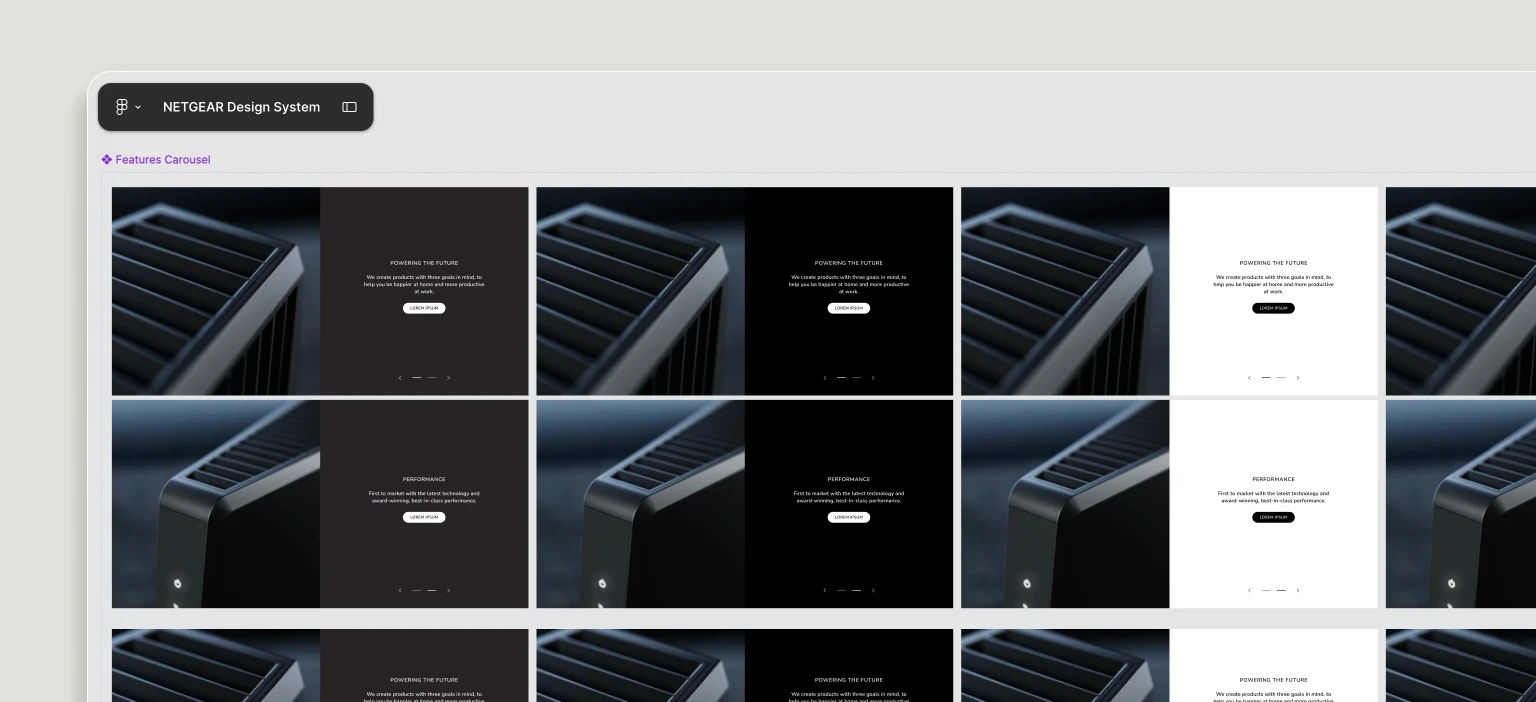
The system's usefulness depended on precision. I gave each Figma component a full set of states and properties matching the exact options developers saw in the web platform. That one-to-one mirroring meant designers weren't just mocking up ideas, they were seeing how assets would actually render on the live site, prompting sharper decisions about text, readability, and imagery before development.
Hover over image to play
Approach
Built for How the Team Works
Every component was designed to behave like its real counterpart, so a designer could assemble a page in Figma and trust it would translate cleanly into the platform. The system became a shared language between design, development, and the outside agencies we worked with.
Hover over image to play
Impact
What the System Made Possible
Faster Prototyping
Designers could assemble production-accurate pages in a fraction of the time, cutting the interactive prototyping process by 38%.
Agency Onboarding
External partners could learn our brand, design language, and technical limits from the system itself, reducing feedback loops.
Production Confidence
One-to-one mirroring meant fewer surprises in handoff and a smaller gap between design and live site.
A Foundation to Build On
The system deepened the team's understanding of the platform and surfaced clear areas for future improvement.
Outcome
A System Built for Scale
The result was thorough by design — a system covering every component available to the team, built to make precise, production-ready work the default. Beyond the immediate efficiency gains, it gave me a strong foundation for developing and managing design systems, and deepened my command of Figma as a whole.
37
Components built
2,741
Component variants
38%
Reduction in prototyping time
Explore the System
Inside the Figma File
An interactive look at the component library that powers the system.
Next Project
NETGEAR Concierge
View Project
Want to reach out?
© 2026 Alec Gonzales. All rights reserved.
Designed and built by Alec ☺︎
Mobile Designs In-Progress
For a better experience, please view on desktop